# NexaPG

NexaPG is a full-stack PostgreSQL monitoring platform for multiple remote targets.
It combines FastAPI, React, and PostgreSQL in a Docker Compose stack with RBAC, polling collectors, query insights, alerting, and target-owner email notifications.
## Table of Contents
- [Quick Start](#quick-start)
- [Prerequisites](#prerequisites)
- [Make Commands](#make-commands)
- [Configuration Reference (`.env`)](#configuration-reference-env)
- [Core Functional Areas](#core-functional-areas)
- [Service Information](#service-information)
- [Target Owner Notifications](#target-owner-notifications)
- [API Overview](#api-overview)
- [`pg_stat_statements` Requirement](#pg_stat_statements-requirement)
- [Reverse Proxy / SSL Guidance](#reverse-proxy--ssl-guidance)
- [PostgreSQL Compatibility Smoke Test](#postgresql-compatibility-smoke-test)
- [Troubleshooting](#troubleshooting)
- [Security Notes](#security-notes)
## Highlights
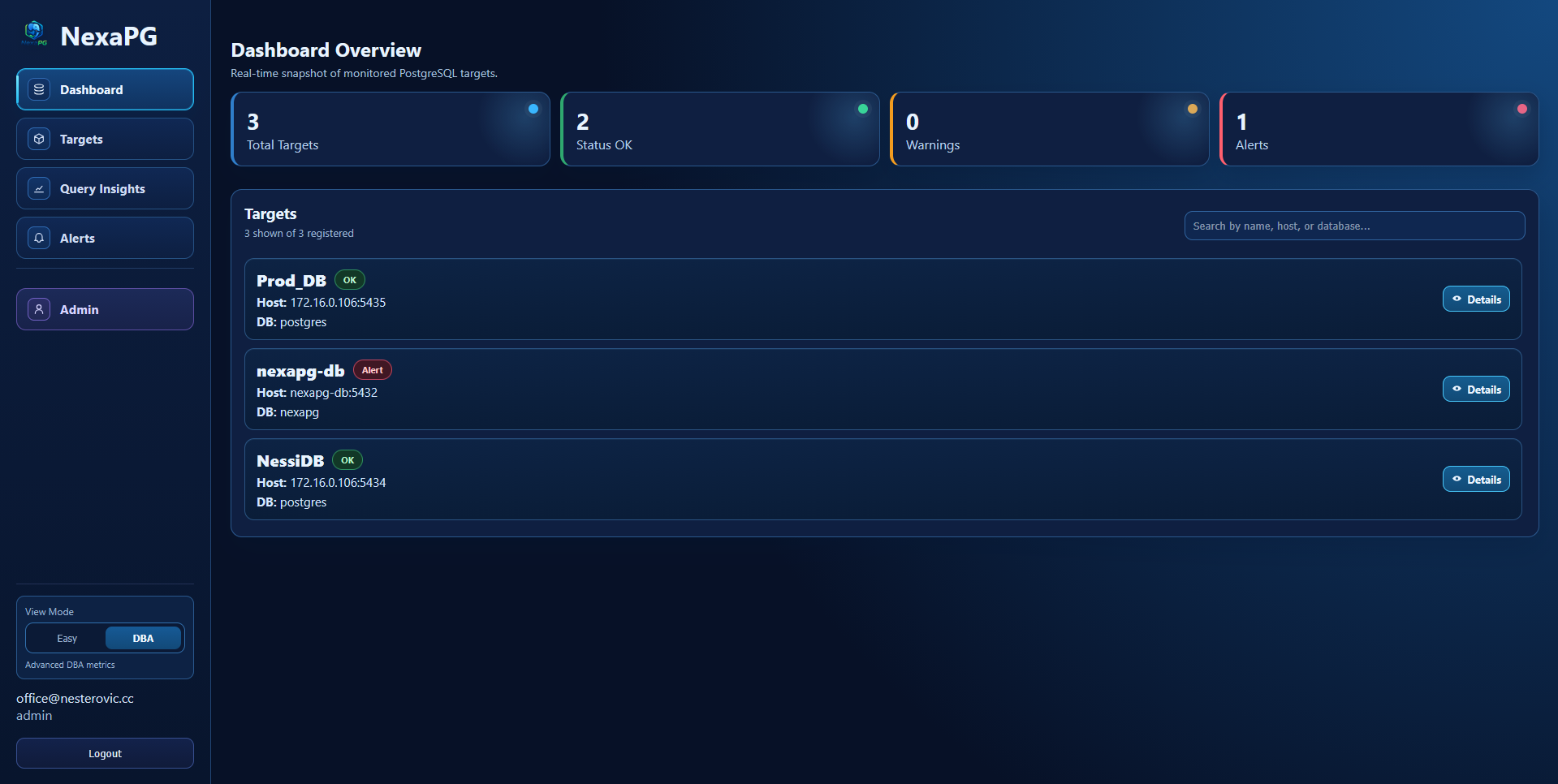
- Multi-target monitoring for remote PostgreSQL instances
- Optional one-click target onboarding for "all databases" discovery on an instance
- PostgreSQL compatibility support: `14`, `15`, `16`, `17`, `18`
- JWT auth (`access` + `refresh`) and RBAC (`admin`, `operator`, `viewer`)
- Polling collector for metrics, locks, activity, and optional `pg_stat_statements`
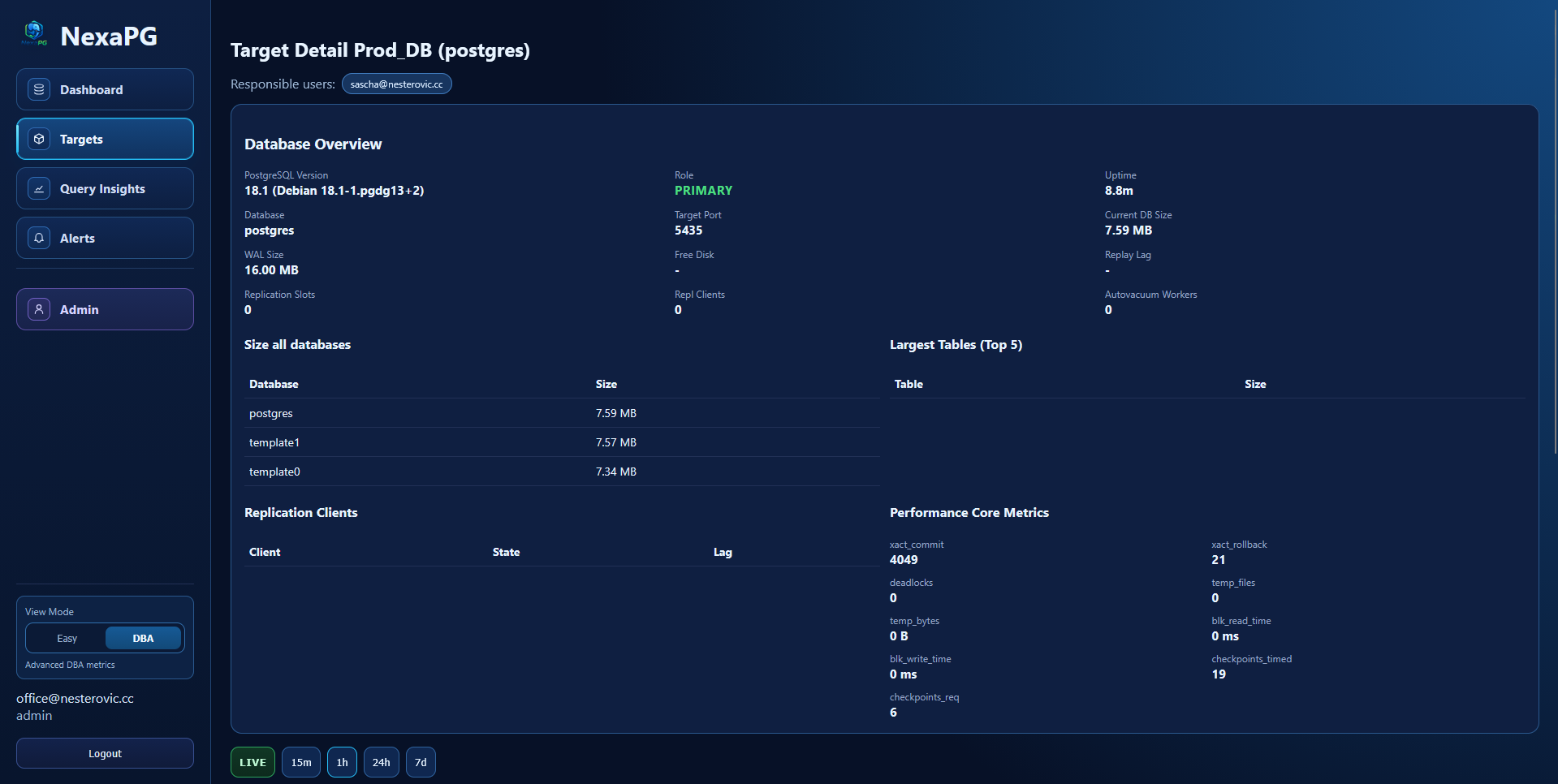
- Target detail overview (instance, storage, replication, core performance metrics)
- Alerts system:
- standard built-in alerts
- custom SQL alerts (admin/operator)
- warning + alert severities
- real-time UI updates + toast notifications
- Target owners: alert emails are sent only to responsible users assigned to a target
- SMTP settings in admin UI (send-only) with test mail support
- Structured backend logs + audit logs
## UI Preview
### Dashboard
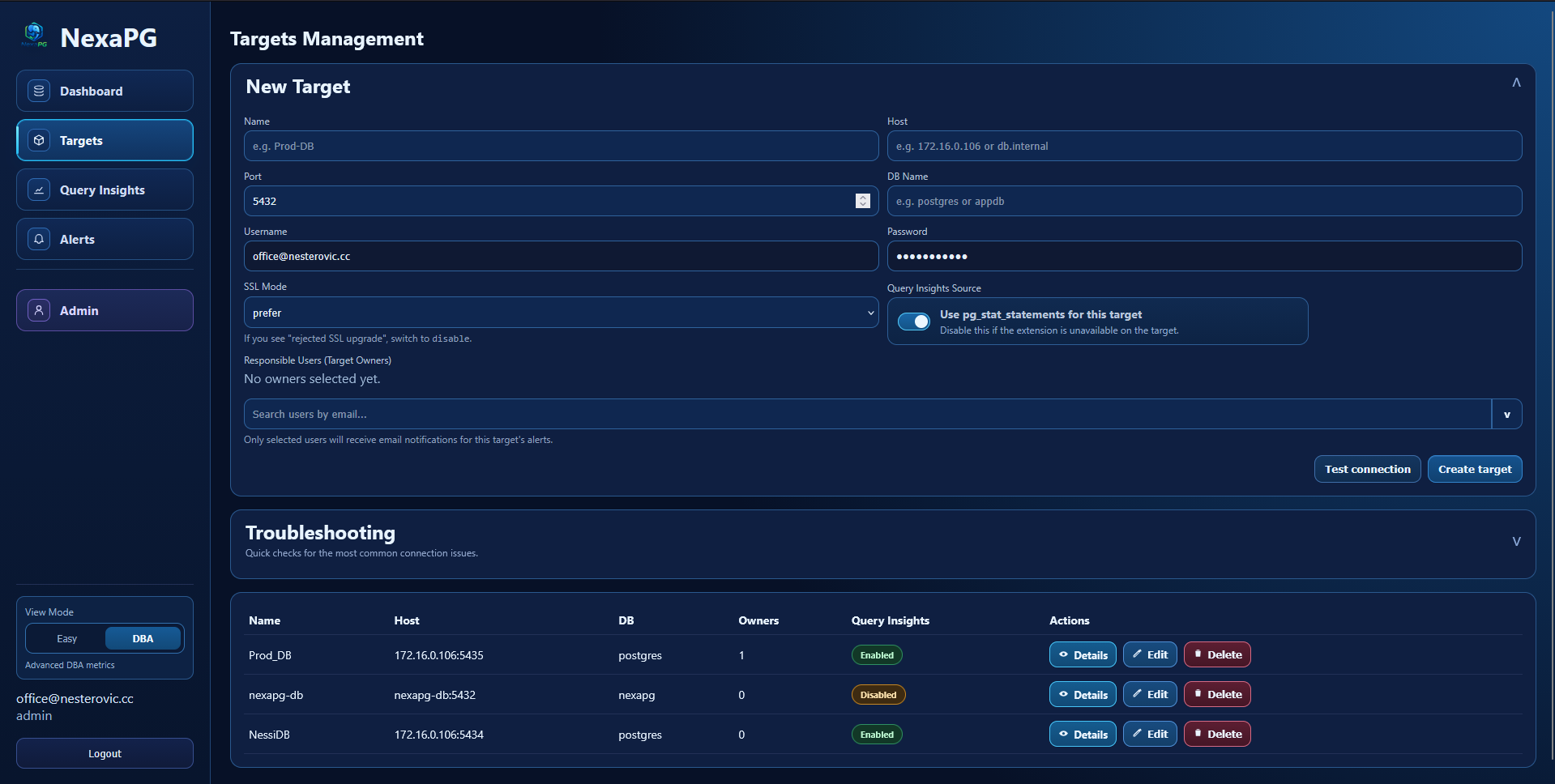
### Targets Management
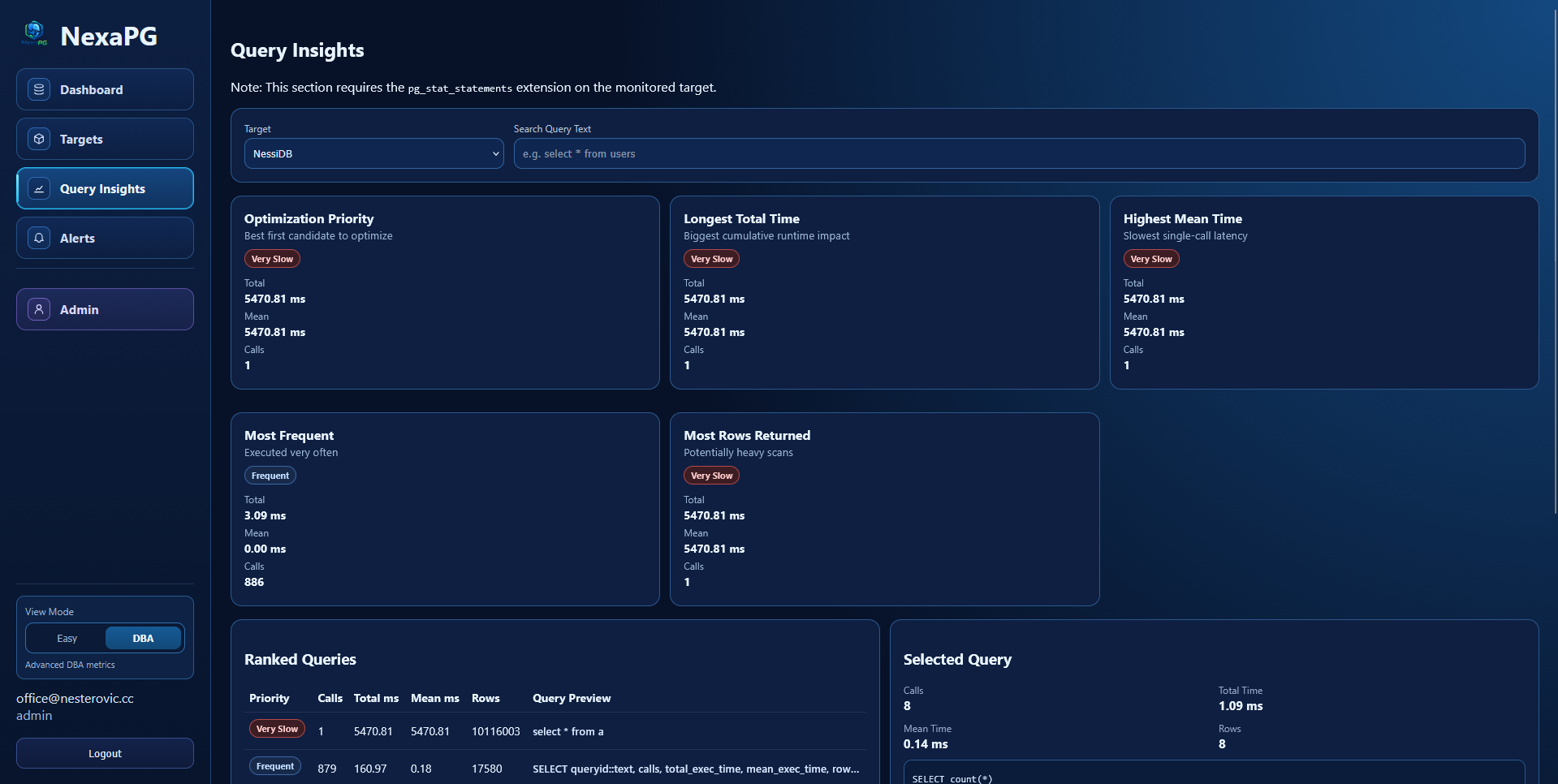
### Query Insights
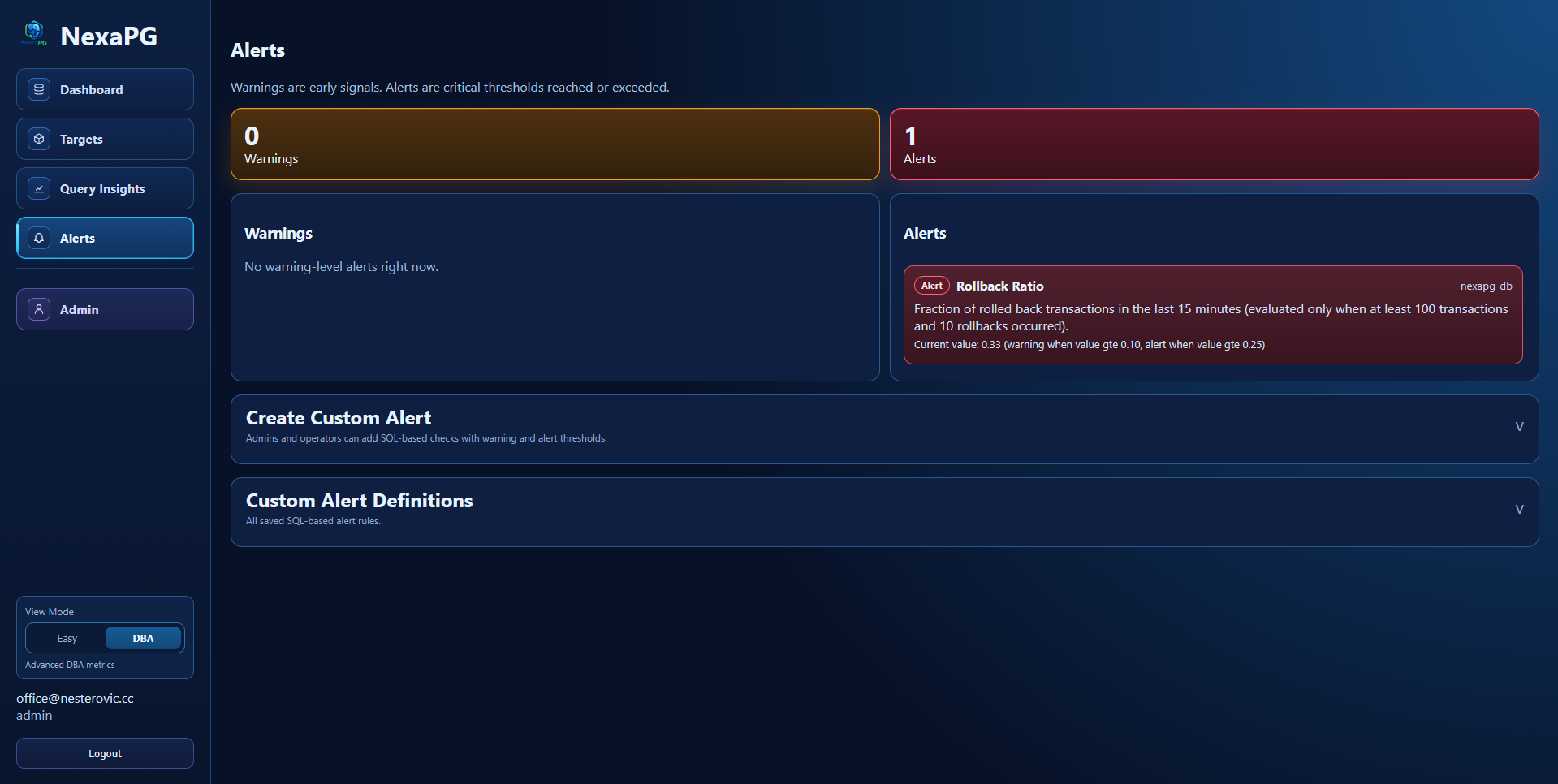
### Alerts
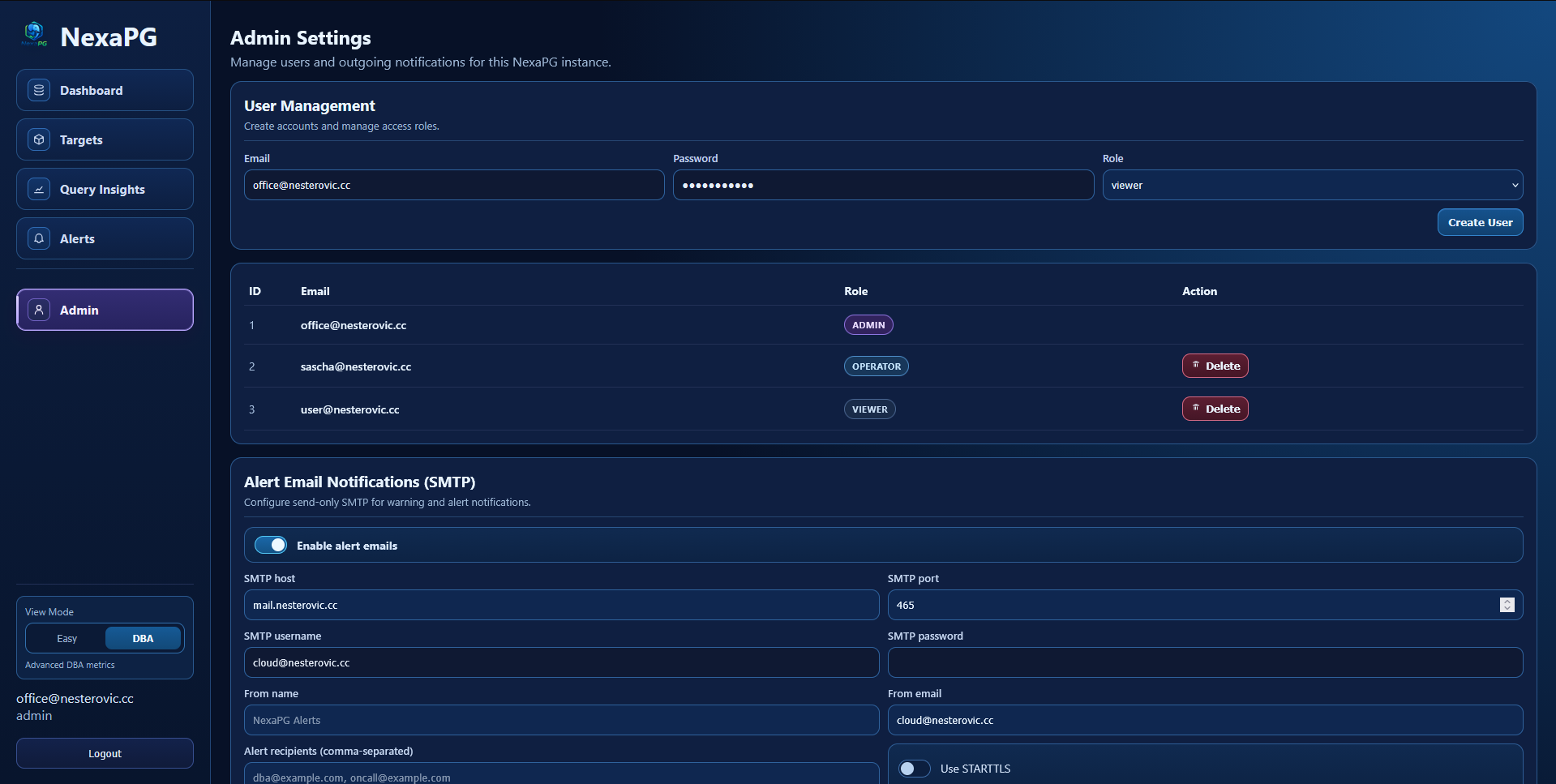
### Admin Settings
### Target Detail (DBA Mode)
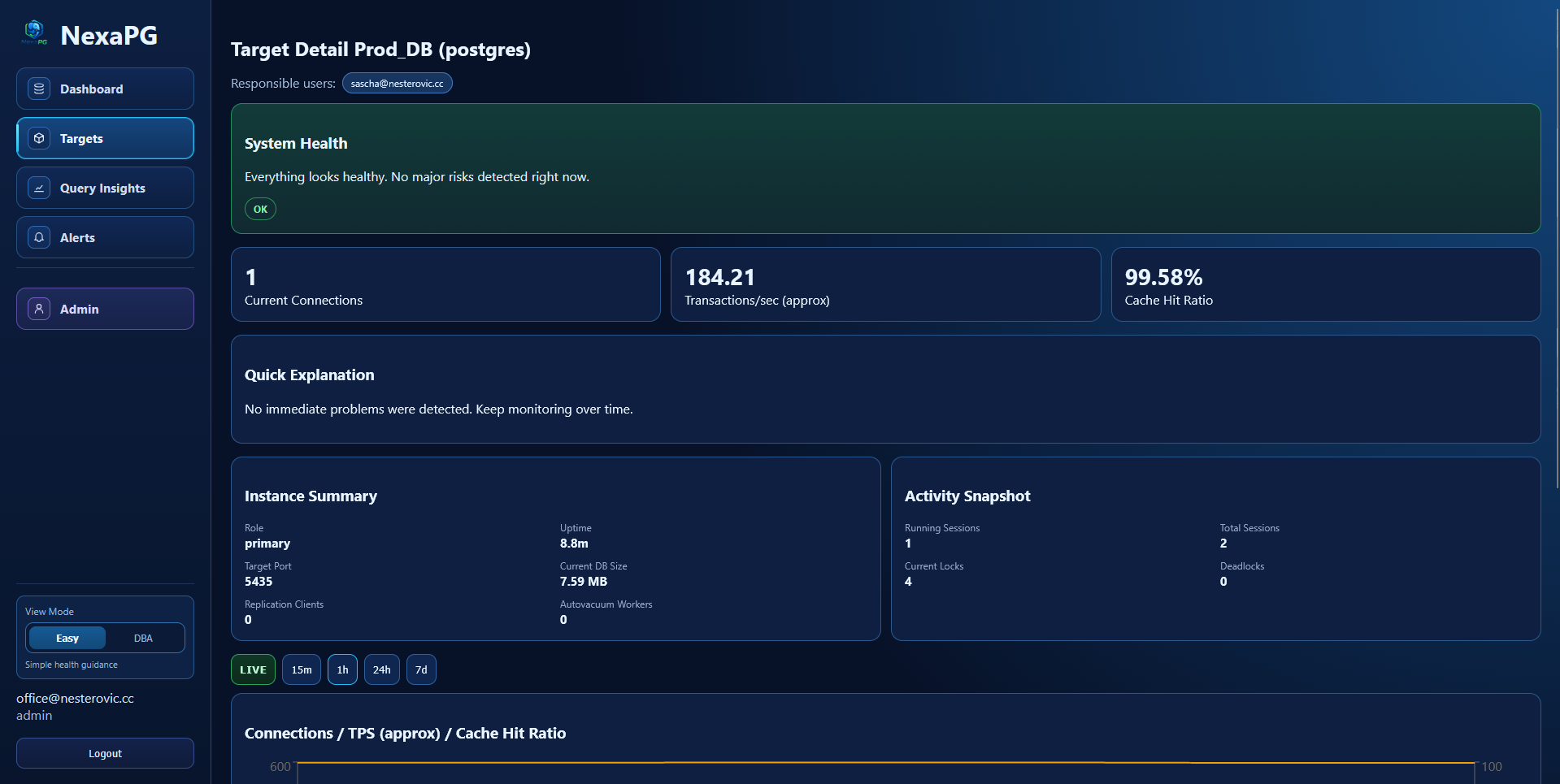
### Target Detail (Easy Mode)
## Repository Layout
- `backend/` FastAPI app, SQLAlchemy async models, Alembic migrations, collector services
- `frontend/` React + Vite UI
- `ops/` helper files/scripts
- `docker-compose.yml` full local stack
- `.env.example` complete environment template
- `Makefile` common commands
## Prerequisites
- Docker Engine `24+`
- Docker Compose `v2+`
- GNU Make (optional but recommended)
- Open host ports (or custom values in `.env`):
- `FRONTEND_PORT` (default `5173`)
- `BACKEND_PORT` (default `8000`)
- `DB_PORT` (default `5433`)
Optional:
- `psql` for manual DB checks
## Quick Start
1. Copy environment template:
```bash
cp .env.example .env
```
2. Generate a Fernet key and set `ENCRYPTION_KEY` in `.env`:
```bash
python -c "from cryptography.fernet import Fernet; print(Fernet.generate_key().decode())"
```
3. Start the stack:
```bash
make up
```
4. Open the application:
- Frontend: `http://:`
- API base: `http://:/api/v1`
- OpenAPI: `http://:/docs`
Initial admin bootstrap user (created from `.env` if missing):
- Email: value from `INIT_ADMIN_EMAIL`
- Password: value from `INIT_ADMIN_PASSWORD`
## Make Commands
```bash
make up # build and start all services
make down # stop all services
make logs # follow compose logs
make migrate # optional/manual: run alembic upgrade head in backend container
```
Note: Migrations run automatically when the backend container starts (`entrypoint.sh`).
## Configuration Reference (`.env`)
### Application
| Variable | Description |
|---|---|
| `APP_NAME` | Application display name |
| `ENVIRONMENT` | Runtime environment (`dev`, `staging`, `prod`, `test`) |
| `LOG_LEVEL` | Backend log level (`DEBUG`, `INFO`, `WARNING`, `ERROR`) |
### Core Database
| Variable | Description |
|---|---|
| `DB_NAME` | Core metadata database name |
| `DB_USER` | Core database user |
| `DB_PASSWORD` | Core database password |
| `DB_PORT` | Host port mapped to internal PostgreSQL `5432` |
### Backend / Security
| Variable | Description |
|---|---|
| `BACKEND_PORT` | Host port mapped to backend container port `8000` |
| `JWT_SECRET_KEY` | JWT signing secret |
| `JWT_ALGORITHM` | JWT algorithm (default `HS256`) |
| `JWT_ACCESS_TOKEN_MINUTES` | Access token lifetime in minutes |
| `JWT_REFRESH_TOKEN_MINUTES` | Refresh token lifetime in minutes |
| `ENCRYPTION_KEY` | Fernet key for target credentials and SMTP password encryption |
| `CORS_ORIGINS` | Allowed CORS origins (comma-separated or `*` for dev only) |
| `POLL_INTERVAL_SECONDS` | Collector polling interval |
| `INIT_ADMIN_EMAIL` | Bootstrap admin email |
| `INIT_ADMIN_PASSWORD` | Bootstrap admin password |
### Alert Noise Tuning
| Variable | Description |
|---|---|
| `ALERT_ACTIVE_CONNECTION_RATIO_MIN_TOTAL_CONNECTIONS` | Minimum total sessions required before evaluating active-connection ratio |
| `ALERT_ROLLBACK_RATIO_WINDOW_MINUTES` | Time window for rollback ratio evaluation |
| `ALERT_ROLLBACK_RATIO_MIN_TOTAL_TRANSACTIONS` | Minimum transaction volume before rollback ratio is evaluated |
| `ALERT_ROLLBACK_RATIO_MIN_ROLLBACKS` | Minimum rollback count before rollback ratio is evaluated |
### Frontend
| Variable | Description |
|---|---|
| `FRONTEND_PORT` | Host port mapped to frontend container port `80` |
| `VITE_API_URL` | Frontend API base URL (build-time) |
Recommended values for `VITE_API_URL`:
- Reverse proxy setup: `/api/v1`
- Direct backend access: `http://:/api/v1`
## Core Functional Areas
### Targets
- Create, list, edit, delete targets
- Test target connection before save
- Optional "discover all databases" mode (creates one monitored target per discovered DB)
- Configure SSL mode per target
- Toggle `pg_stat_statements` usage per target
- Assign responsible users (target owners)
### Target Details
- Database Overview section with instance, role, uptime, size, replication, and core metrics
- Metric charts with range selection and live mode
- Locks and activity tables
### Query Insights
- Uses collected `pg_stat_statements` data
- Ranking and categorization views
- Search and pagination
- Disabled automatically for targets where query insights flag is off
### Alerts
- Warning and alert severity split
- Expandable alert cards with details and recommended actions
- Custom alert definitions (SQL + thresholds)
- Real-time refresh and in-app toast notifications
### Admin Settings
- User management (RBAC)
- SMTP settings for outgoing alert mails:
- enable/disable
- host/port/auth
- STARTTLS / SSL mode
- from email + from name
- recipient test mail
### Service Information
- Sidebar entry for runtime and system details
- Displays current version, latest known version, uptime, host, and platform
- "Check for Updates" against the latest published release in the official upstream repository (`git.nesterovic.cc/nessi/NexaPG`)
- Version/update source are read-only in UI (maintainer-controlled in code/release flow)
- Local displayed version is code-defined in `backend/app/core/config.py` (`NEXAPG_VERSION`) and not configurable via `.env`
## Target Owner Notifications
Email alert routing is target-specific:
- only users assigned as owners for a target receive that target's alert emails
- supports multiple owners per target
- notification sending is throttled to reduce repeated alert spam
## API Overview
### Health
- `GET /api/v1/healthz`
- `GET /api/v1/readyz`
### Auth
- `POST /api/v1/auth/login`
- `POST /api/v1/auth/refresh`
- `POST /api/v1/auth/logout`
- `GET /api/v1/me`
### Targets
- `GET /api/v1/targets`
- `POST /api/v1/targets`
- `POST /api/v1/targets/test-connection`
- `GET /api/v1/targets/{id}`
- `PUT /api/v1/targets/{id}`
- `DELETE /api/v1/targets/{id}`
- `GET /api/v1/targets/{id}/owners`
- `PUT /api/v1/targets/{id}/owners`
- `GET /api/v1/targets/owner-candidates`
- `GET /api/v1/targets/{id}/metrics`
- `GET /api/v1/targets/{id}/locks`
- `GET /api/v1/targets/{id}/activity`
- `GET /api/v1/targets/{id}/top-queries`
- `GET /api/v1/targets/{id}/overview`
### Alerts
- `GET /api/v1/alerts/status`
- `GET /api/v1/alerts/definitions`
- `POST /api/v1/alerts/definitions`
- `PUT /api/v1/alerts/definitions/{id}`
- `DELETE /api/v1/alerts/definitions/{id}`
- `POST /api/v1/alerts/definitions/test`
### Admin
- `GET /api/v1/admin/users`
- `POST /api/v1/admin/users`
- `PUT /api/v1/admin/users/{user_id}`
- `DELETE /api/v1/admin/users/{user_id}`
- `GET /api/v1/admin/settings/email`
- `PUT /api/v1/admin/settings/email`
- `POST /api/v1/admin/settings/email/test`
### Service Information
- `GET /api/v1/service/info`
- `POST /api/v1/service/info/check`
## `pg_stat_statements` Requirement
Query Insights requires `pg_stat_statements` on the monitored target:
```sql
CREATE EXTENSION IF NOT EXISTS pg_stat_statements;
```
If unavailable, disable it per target in target settings.
## Reverse Proxy / SSL Guidance
For production, serve frontend and API under the same public origin via reverse proxy.
- Frontend URL example: `https://monitor.example.com`
- Proxy API path `/api/` to backend service
- Use `VITE_API_URL=/api/v1`
This prevents mixed-content and CORS issues.
## PostgreSQL Compatibility Smoke Test
Run manually against one DSN:
```bash
PG_DSN='postgresql://postgres:postgres@127.0.0.1:5432/compatdb?sslmode=disable' \
python backend/scripts/pg_compat_smoke.py
```
Run with DSN candidates (CI style):
```bash
PG_DSN_CANDIDATES='postgresql://postgres:postgres@postgres:5432/compatdb?sslmode=disable,postgresql://postgres:postgres@127.0.0.1:5432/compatdb?sslmode=disable' \
python backend/scripts/pg_compat_smoke.py
```
## Troubleshooting
### Backend container keeps restarting during `make migrate`
Most common reason: failed migration. Check logs:
```bash
docker compose logs --tail=200 backend
docker compose logs --tail=200 db
```
### CORS or mixed-content issues behind SSL proxy
- Set `VITE_API_URL=/api/v1`
- Ensure proxy forwards `/api/` to backend
- Set correct frontend origin(s) in `CORS_ORIGINS`
### `rejected SSL upgrade` for a target
Target likely does not support SSL with current settings.
Set target `sslmode` to `disable` (or correct SSL config on target DB).
### Query Insights empty
- Check target has `Use pg_stat_statements` enabled
- Verify extension exists on target (`CREATE EXTENSION ...`)
## Security Notes
- No secrets hardcoded in repository
- Passwords hashed with Argon2
- Sensitive values encrypted at rest (Fernet)
- RBAC enforced on protected endpoints
- Audit logs for critical actions
- Collector error logging includes throttling to reduce repeated noise